

This page was created especially for people who are using my Money Calendar.
Click the links below to access the tools you’ll need for each month.

Some of the forms you’ll need are from Savings Fitness: A Guide to Your Future and Your Financial Fitness. If you don’t have a print copy, you can download a PDF version from the US Department of Labor. Or use the interactive version on the Dept. of Labor website
The other forms are ones that I created, and you can download them directly from this page by clicking the links below.
Some of the links on this page go to commercial websites. That means they provided the best explanations or free tools that I could find at this time. You may see ads on these pages or be asked to register to receive more information. By linking to these sites, I am not recommending their services or products other than the free tools to which I am linking.
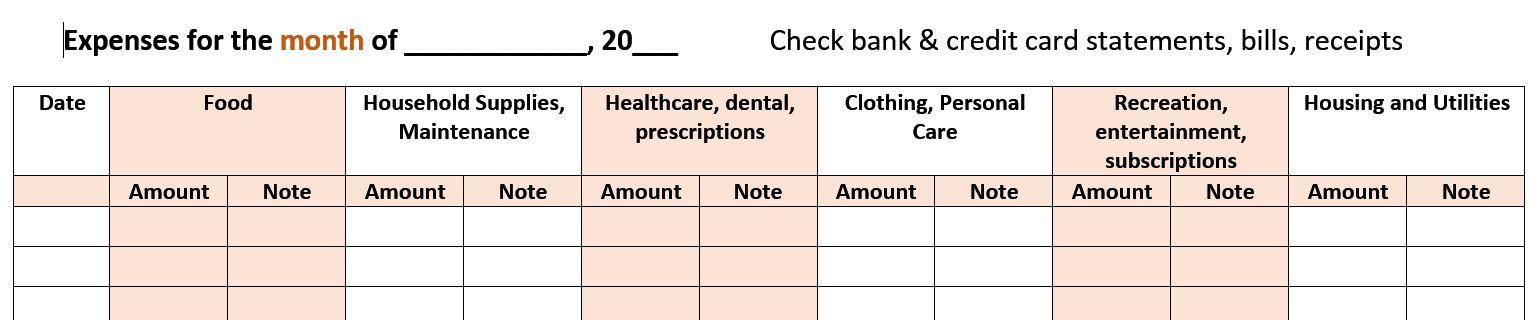
Month 1: Expenses
Download and complete the Monthly expenses worksheet.
Month 2: Spending Plan
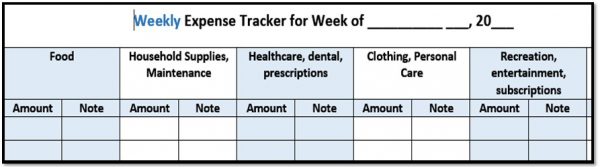
Download and use the Weekly Expense Tracker worksheet to track your expenses for four weeks.
Use the Cash Flow Spending Plan in your Savings Fitness book, or use the interactive version on the Dept. of Labor website.
Month 3: What Do You Owe?
Use the Debt Reduction Worksheet on page 49 in your Savings Fitness book, or use the interactive version.
Go to https://powerpay.org/ to create your personal plan for paying down your debt. Or, download the PowerPay Debt Elimination mobile app from iTunes.
Month 4: Credit History
Go to www.annualcreditreport.com/ to request your free, annual credit from one, two, or all three of the major credit reporting agencies.
If you’d rather request your credit report by phone, call 1-877-322-8228.
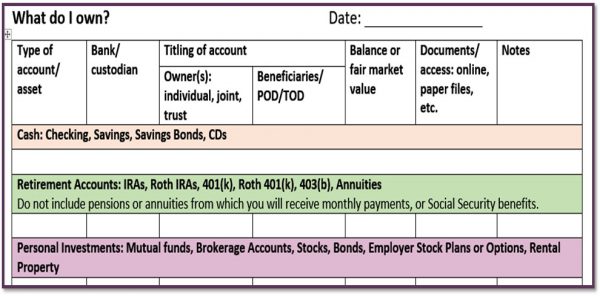
Month 5: What Do You Own?
Download and complete the What Do I Own worksheet.
Month 6: Net Worth
Use the information from your completed What Do I Own worksheet (Month 5) and your Debt Reduction worksheet (Month 3) from the Savings Fitness book.
Use that information to complete the Balance Sheet to Calculate Net Worth on page 38 of the Savings Fitness book (or use the interactive version).
Month 7: Retirement Income
Estimate your Social Security benefits using one of the Social Security Administration’s calculators.
Retirement saving/income calculators: Try one or more of these to get a estimate of whether your rate of savings for retirement is sufficient, or how much you’ll be able to spend in retirement. These are generally simplistic tools, but they have value in letting your experiment to see the impact of decisions such as retiring later, saving more, or investing more or less aggressively.
- •troweprice.com/usis/advice/tools/retirement-income-calculator/
- •investor.vanguard.com/tools-calculators/retirement-income-calculator
- •nerdwallet.com/calculator/retirement-calculator
Month 8: Insurance
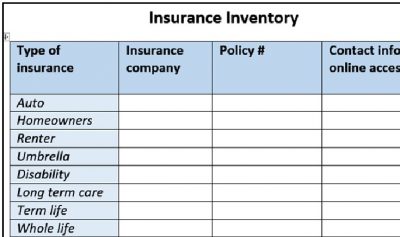
Download and complete the Insurance Inventory worksheet.
What kinds of insurance do you need? The exact types of insurance you need in your 20s, 30s and 40s from Voya Financial will help answer that question, and it will point out when you may not longer need certain kinds of insurance, such as life insurance and disability insurance.
Month 9: Estate Plan
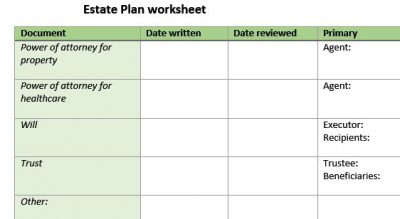
Download and complete the Estate Planning worksheet.
Your attorney can draft powers of attorney for you. But you can also do it yourself. Download statutory forms directly from the State of Illinois and follow the instructions to create a healthcare power of attorney and a power of attorney for property.
Month 10: Income Tax
If you aren’t familiar with the 1040 and other forms that are used to file your taxes, a good overview is Guide to IRS Form 1040, Individual Income Tax Return on the TaxAct website.
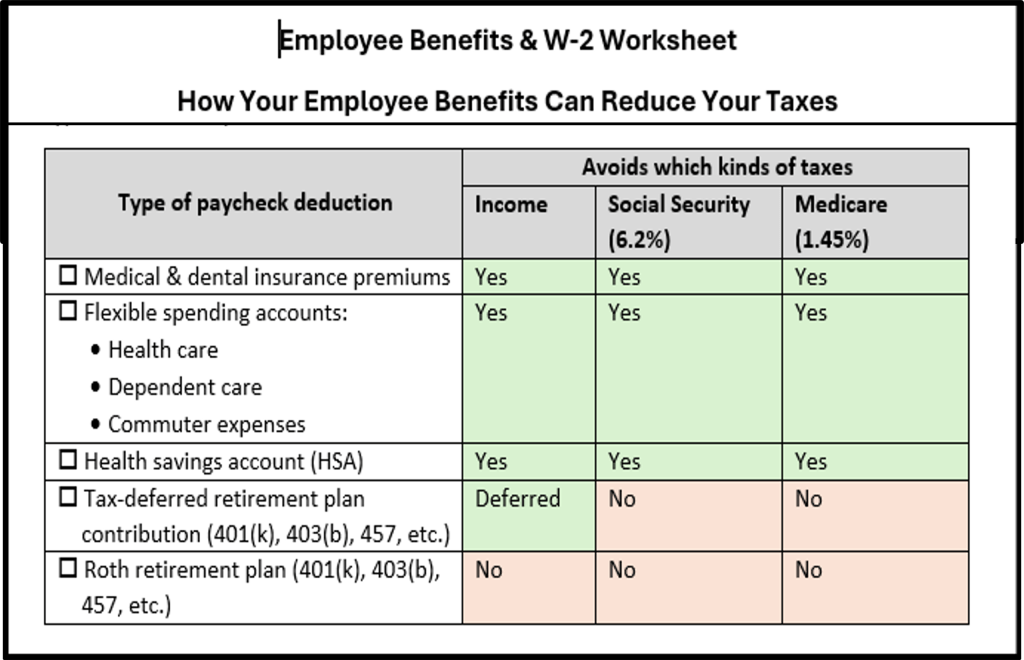
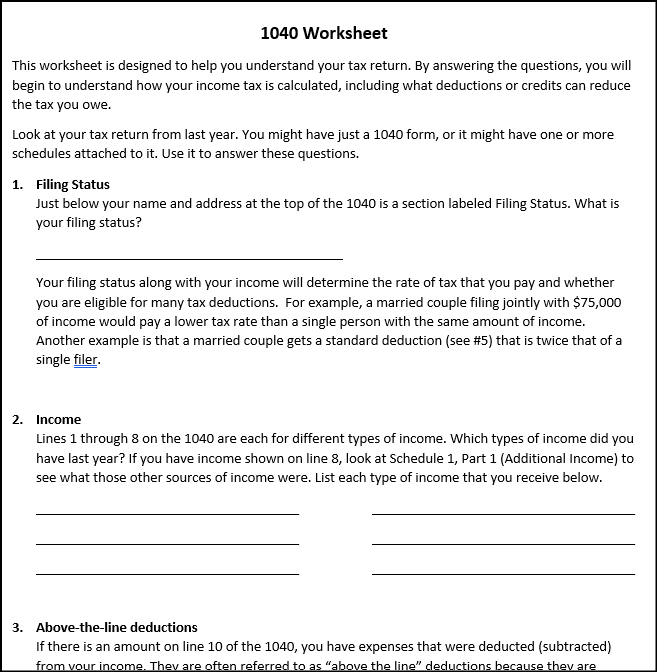
Download the Employee Benefits & W-2 Worksheet and 1040 Worksheet Worksheet. Use your own W-2 and previous tax return to fill out the worksheets.
Month 11: Life Events
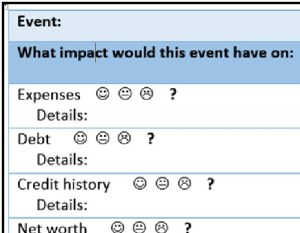
Download and complete the Life Events worksheet.
Month 12: Get Help
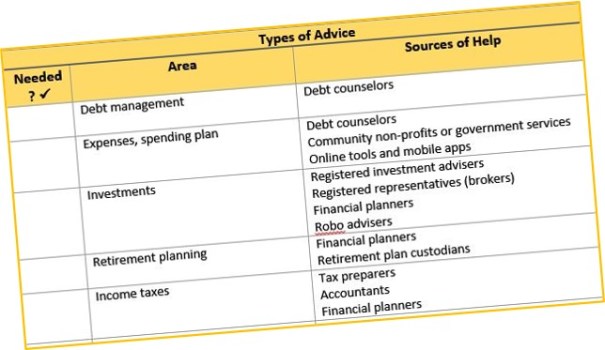
Download the Finding Advice worksheet.
For information about different types of financial professionals, including the difference between a broker (Registered Representative) and a Registered Investment Adviser and how they are paid, see the links on my Resource Page for Finding Financial Advice That’s Right for You.
I’d love to hear your suggestions or comments about the tools on this page. Please use the Contact Karen form to send me a message.

 Karen Chan Financial Education & Consulting, LLC